January 31, 2026 Updated: Feb 25, 2026
NATS server on fly.io
I needed a NATS server to use as my message broker. I chose to install it on fly.io. I followed the instructions from the official documentation and found some issues, so I want to share with you how to install NATS server on fly.io without any problems.
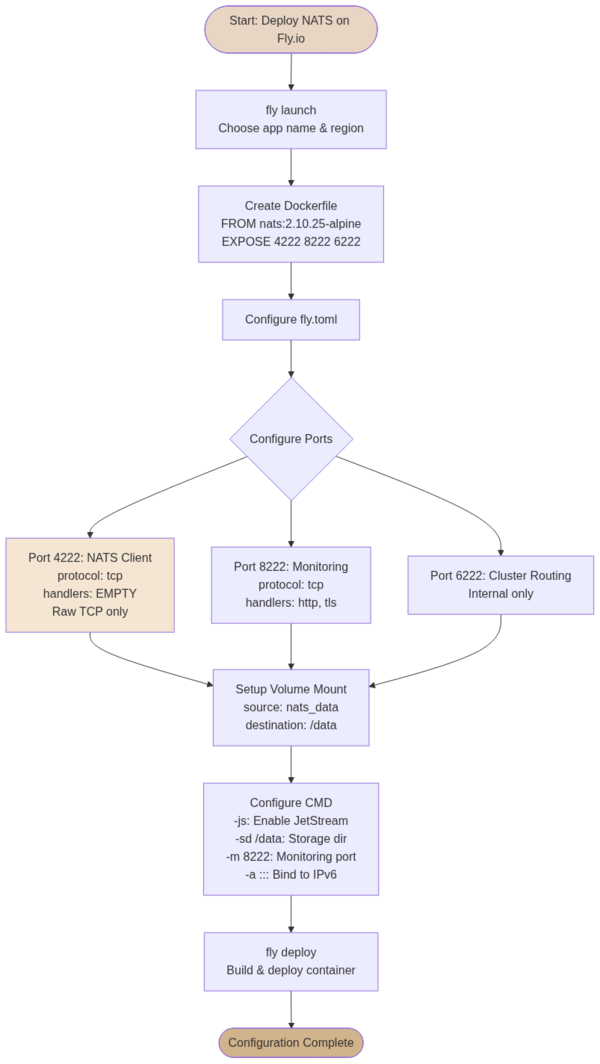
The dockerfile can be used to deploy NATS:
FROM nats:2.10.25-alpine

# Expose client, management, and routing ports
EXPOSE 4222 8222 6222

# Default entrypoint is already "nats-server"
CMD ["-js", "-sd", "/data", "-m", "8222"]
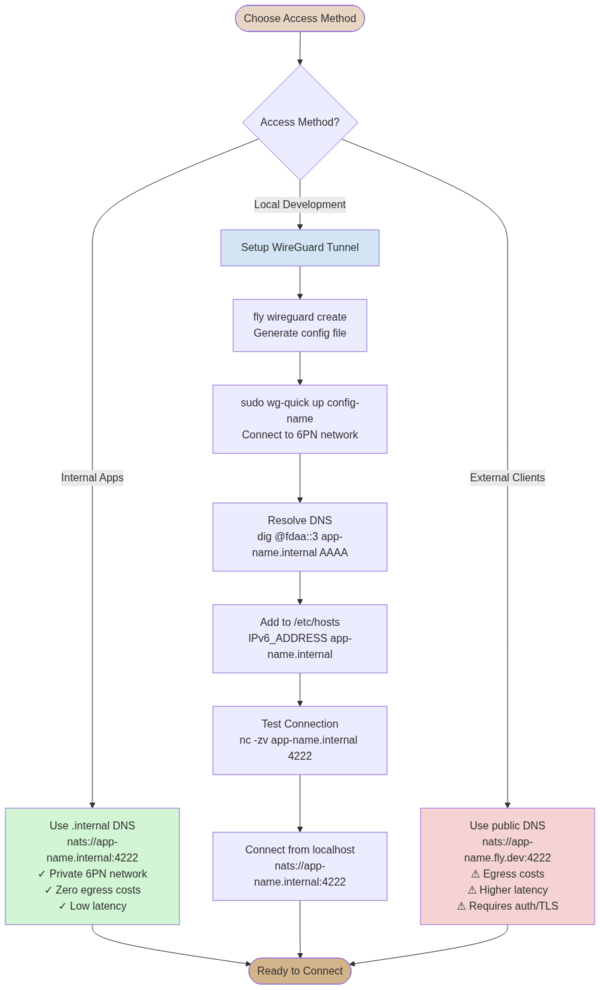
To ensure the right connection, we need to use WireGuard to establish a secure connection from local to the NATS server.
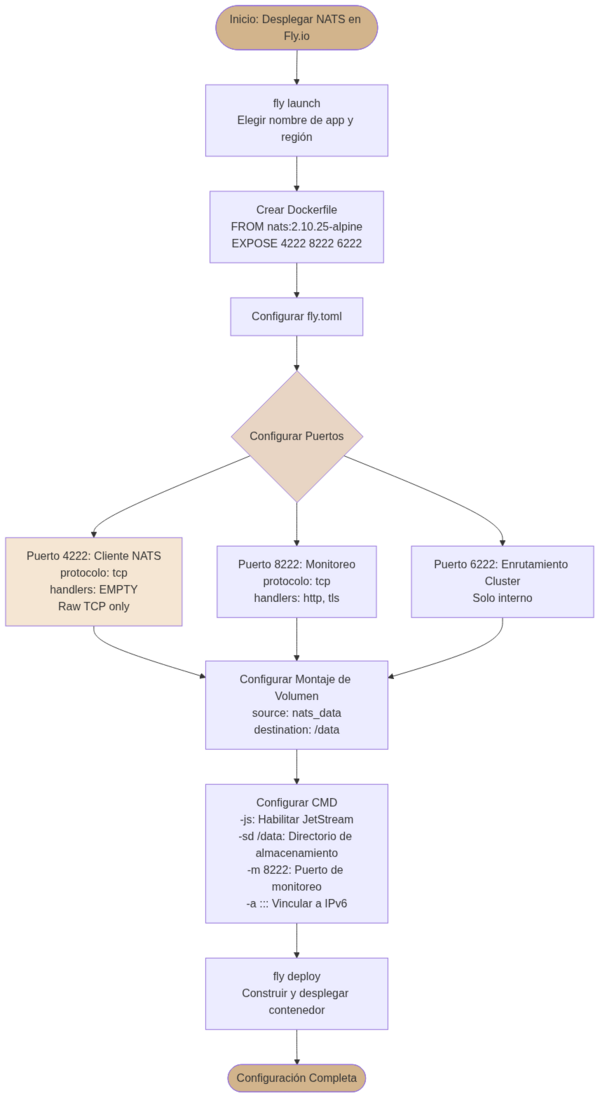
Setup and Configuration
The first step is to configure your NATS server on fly.io and set up the necessary environment variables and secrets:
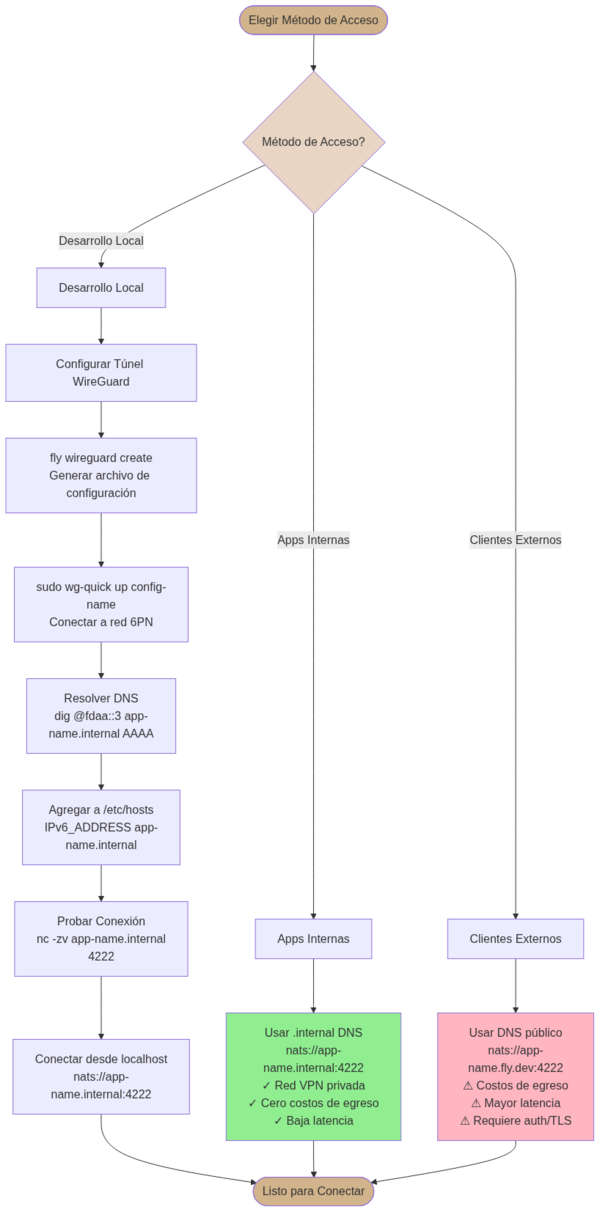
Access Methods
Once deployed, you have multiple ways to access your NATS server - through internal DNS, WireGuard VPN, or public DNS:
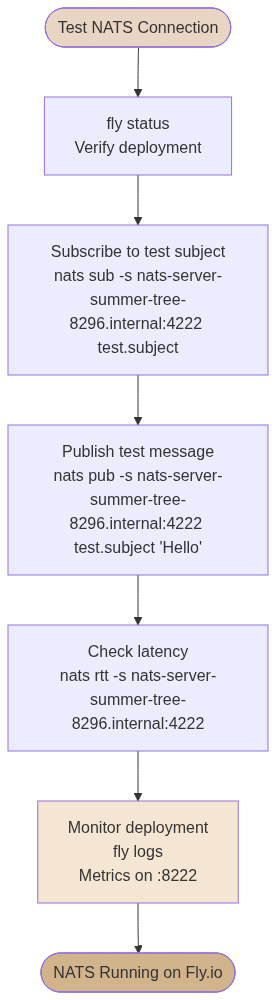
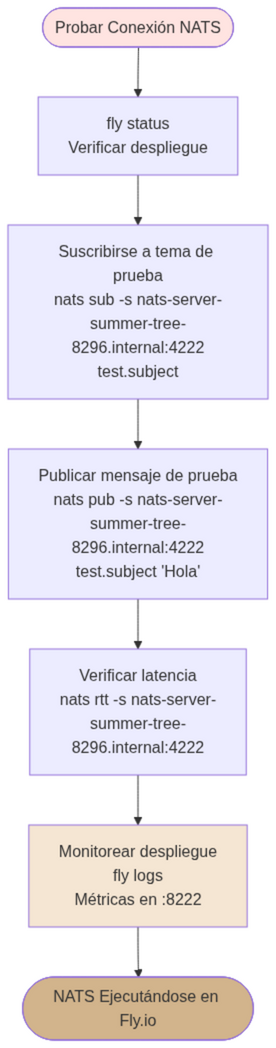
Testing and Monitoring
After setup, you can test the connection and monitor your NATS server using the management interface: